Saturday, February 21, 2015

Questing Implemented

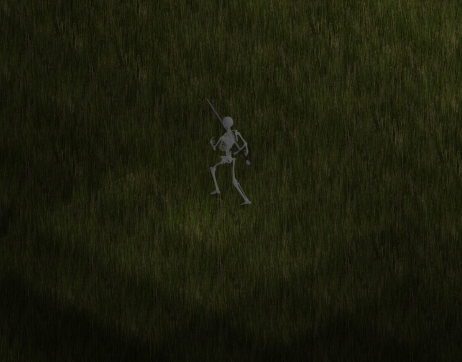
A quest given by the skeleton NPC, with options to either steal or lie to him (optional). As a twist, forcing him to give you the reward results in him giving you a severely crippled version of the reward.

The first version of questing is finally in the game. This initial version allows for item rewards, quest requirements to kill certain units or a certain amount, and having you go to certain areas. Additionally, it allows for multiple stages of dialogue with an NPC that include responses you can say to the NPC to control how he responds.


From the above video, the entire quest is shown, starting with him stating the requirements (and giving a few optional responses to choose from) and killing the 5 monsters to get your reward. The questing system is similar to how the Elder Scrolls series does questing, in that you have "stages" that represent progression of a quest. Certain actions result in progression to different stages, sometimes skipping around stages, and some stages have requirements while others don't.

For those curious, below is the script used for this quest. I unfortunately don't have the time to make the script that versatile, so you have to follow a pretty strict format for writing them, including no random spaces, or multi-line statements. The script is commented enough to give you an idea of how it all works. It should be noted that these scripts are tied to a specific unit (although more than one unit can be configured with the same dialogue script), and a unit is configured simply by setting unit->dialogue = Dialogue["ScriptName"]


 # Kill 5 Skywatch for a reward (a very powerful sword).  
   
 #-------------------------------------------------------------------------------  
 # This part outlines what is required for each stage (starts at 1)  
 define stage_requirements 1  
 # This requirement is to kill 5 units with the display_name "Skywatch"  
 type=KILL_UNIT_TYPE  
 # For vector based values, pushes back each entry  
 unsigned_int_data=5  
 string_data=Skywatch  
 end_requirement  
   
 # Below is an example of a unit->dialogue_information[string_data] requirement, which in this case requires either  
 # a value of 1 or 2 to qualify for the requirement.  
 #type=VARIABLE  
 #string_data=Skywatch_Quest_Complete  
 #unsigned_int_data=1  
 #unsigned_int_data=2  
 #end_requirement  
   
 end_define  
 #-------------------------------------------------------------------------------  
   
 #-------------------------------------------------------------------------------  
 # This part tells the script to create an equipment with the script identifier "Sword_Reward"  
 define item Sword_Reward  
 type=WEAPON  
 creator_id=0  
 owner_id=0  
 name=Sword Reward  
 inventory_sprite=Sword  
 size=1,3  
 sprite=longsword  
 base_attack_damage=200,400  
 attack_range=0.8  
 attack_rate=3.0  
 speed_modifier=1.0  
 end_define  
 #-------------------------------------------------------------------------------  
   
 #-------------------------------------------------------------------------------  
 define item Sword_Bad_Reward  
 type=WEAPON  
 creator_id=0  
 owner_id=0  
 name=Sword Reward  
 inventory_sprite=Sword  
 size=1,3  
 sprite=longsword  
 base_attack_damage=1,2  
 attack_range=0.8  
 attack_rate=0.5  
 speed_modifier=1.0  
 end_define  
 #-------------------------------------------------------------------------------  
   
   
 # Stage 0 - Quest statement  
 type@0=STATEMENT  
 statement@0=Please kill 5 Skywatch. Once you have killed 5, come back and I'll give you a great reward. It's pretty awesome...  
 action@0=NOTHING  
 next_stage@0=1  
   
 # Define options available for stage 0  
 # The option order is preserved, the number after @ represents what stage to go to when it is selected, and the string is what to show.  
 define options 0  
 option@3="Just give me the item or I'll kill you."  
 option@1=Lie and say you killed them already.  
 end_define  
   
 # Stage 1 - The reward (good job, ya dingus!)  
 # A stage that gives items will typically only show the reward message once unless you loop back into itself and  
 # have an option that changes the stage (such as "okay"). Also a give items stage won't reward items twice  
 # even if it is active multiple times. For repeatable quests, could add a way to keep giving rewards?  
 type@1=STATEMENT  
 statement@1=Thank you! You killed five Skywatch. Here's your reward, a sword. It's pretty good, I promise!  
 # This sets items_to_give[1] = std::shared_ptr<Equipment> Sword_Reward, defined above  
 items_to_give@1=Sword_Reward  
 action@1=GIVE_ITEMS  
 next_stage@1=2  
   
 type@2=STATEMENT  
 statement@2=Well uh, hope you like it, like I said, it's really strong! Right...?  
 action@2=NOTHING  
 set_variable@2=Skywatch_Quest_Complete=1  
 # For a stage with no requirements, it will automatically progress unless you have the next_stage direction  
 # back to itself. This is useful if doing something like an options menu, where you manually go to the next stage,  
 # or if this is the last stage.  
 next_stage@2=2  
   
 type@3=STATEMENT  
 statement@3=Okay okay! Here, take it. It's not that good...please don't be angry.  
 items_to_give@3=Sword_Bad_Reward  
 action@3=GIVE_ITEMS  
 set_variable@3=Skywatch_Quest_Complete=2  
 next_stage@3=4  
   
 type@4=STATEMENT  
 statement@4=I hope it was worth stealing...  
 action@4=NOTHING  
 next_stage@4=4  
   

Monday, February 16, 2015

Feature Update - 2/16/2015

As an update on the development of the game, here are a list of features that have been updated/added since the last feature update a month ago,
  • Experience and leveling
    • Killing a unit gives experience and, after enough experience, a new level and skill points
  • Interface
    • Player health and energy bars
    • Enemy health bar (if targeted)
    • Inventory and equipped items
  • Items
    • Can now use interface to equip and unequip items
    • Able to put items in inventory
    • Drop items on ground, and pick up items on the ground
  • Multiple map support
    • Units are now able to travel to other maps
  • Rudimentary quest support (work in progress)
    • As of now all kills are tracked. Additionally, working on support for quests (that are loaded from scripts). Current quests allow for dialogue with options, giving items as quest rewards, and quest requirements including killing a specific unique unit, killing a certain number of a type of unit, and entering a certain area (a quest can have multiple requirements).
  • Save and load game state
    • Able to save and load game states using either hot keys or the menu, restoring the game to whatever state it was saved at.
  • Basic Menu (work in progress)
    • Able to pull up a menu to save and exit the game; working on adding options such as changing resolution or hotkeys.
  • Building using CMake
    • This is internal, but previously I was using a custom script to quickly compile the game, however finally added support for CMake to automatically create Makefiles to build the game. This way is more robust but unfortunately the dependancy tracker is *really* slow when building on the older computer (for building and testing on the 32-bit computer from 2008, it takes a good 5 minutes to build versus 2 minutes on my newer desktop. The previous script to build took much less time since it didn't use a dependency tracker (it would rebuild whatever was changed, but you had to run -clean if headers were changed).
Killing several monsters has rewarded enough experience to reach level 4. (Click the image to read the stats in the top left corner). Additionally, the player's health and energy bars, and the targeted enemy health bar is visible.

As a quick recap of all the new features, the first is the addition of experience. Using Excel an algorithm for determining leveling was created. Two factors had to be addressed: as you level up, it becomes harder to level, and lower level creatures reward less experience that drops off at an exponential rate. As of now there is no plan for a level cap, but at around level 80 it starts to take a lot longer to level, and at level 99 it takes roughly 25,000 unit kills to level up. The idea is to create a "soft-cap" on leveling, so that while you are free to level as much as you want, it becomes incredibly difficult to do (to the point of not being practical for the reward it gives).

The inventory and equipped items shown. Next to the player can be seen a dropped item (filler sprite) and if you notice, the player is not wearing his armor (which, due to not having a default armor sprite yet, results in an "invisible" body).

A new interface has been created that shows both the player's health, energy, enemy health (if targeted), and the inventory/equipped items. The inventory supports equipping and unequipping items, along with picking up and dropping items. Due to my lack of painting skills, I resorted to developing the interfaces in Blender and using the 3D renders to develop the interface graphics.

If you look at the above picture, you can see a portal near the player. A new type of unit called "Portals" are now supported that allow a player to travel to different maps by clicking on it. When changing maps, a unit's minions automatically travel with it.

An important addition was made to the Unit class that allowed tracking of stats such as which type of units were killed, the unique ID of all monsters killed, and areas entered. This, along with a new quest system in the works, allows for players to complete tasks such as killing a unique boss or even something like the "Den of Evil" quest from Diablo 2, where you had to clear out an entire map of enemy units.

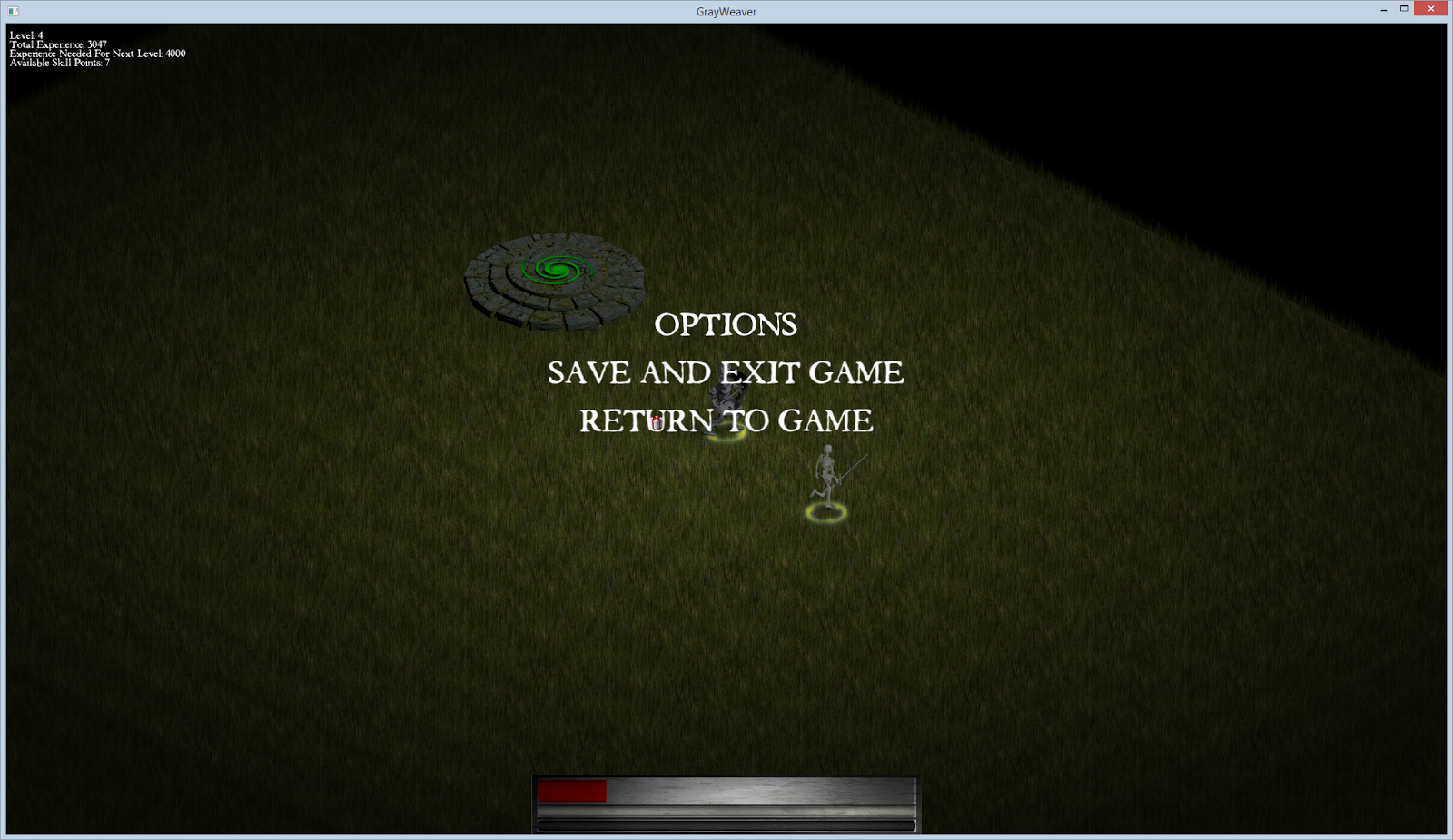
The main menu (accessed when pressing the Escape key).

The menu system is still very rudimentary, with only support for saving and exiting the game. Saving the game state posed an interesting problem because there are many ways to approach this problem. In games like Diablo 2, you simply save the player character's stats and progression and reload all the maps, etc from a clean slate. Since it's easy to do (at least for now), I decided to just save everything exactly as it is, so that when you save the game then load it later, it loads *exactly* as it was when you saved it, including the location of all enemies and their current state, along with your own minions. Saving the game utilized the Protocol Buffers library from Google, which allows you to define a special "Proto" file that defines the data structures you want to save to and serialize. You then compile this Proto file into a C++ file and header that can be included in your program. From there, you create a data structure (defined in the Proto file), store the relevant data to it, then serialize it. Later you simply load that serialized file into a ProtoBuf structure, and read the relevant data from it to reconstruct your game's entities.

CMake support added for building the game.

Previously, I used a simple Python script I wrote that compiled the game and detected changes to files to know which files to rebuild. While it worked great and was really fast to setup, I needed a more robust system since the project is starting to reach a point where features like a dependency tracker, that determines what to rebuild when a header file changes, are faster than just rebuilding the entire project. Also, it should be noted that you never want to re-invent the wheel if it can be helped. After following the excellent Cmake tutorial by written by John Lamp, I was able to setup Cmake and start using Make for my project. Sadly it has slowed down build times on the dinosaur I use for 32-bit testing, but it works none-the-less!

All these features are starting to add up to a good foundation for the game. There are still a lot of features and other additions left to be added before this game is worthy of something like a demo, but at least it's progressing!

Friday, February 6, 2015

Parallelizing the game

From the beginning, the development of the game has had concurrency in mind, with the intent of not only taking advantage of more cores but also increasing the responsiveness of the game. The following is an overview of the architecture of the game and how it takes advantage of task parallelism to fully utilize multi-core processors.

The producer handles game logic and the state of the game, while the consumer displays the information for the player.


The game is divided into two parts: the game state, which handles both the game's current state and logic, and the client, which produces the graphics and submits input to the game state. This design pattern is called "Producer-Consumer" and poses a few issues with regard to thread-safety.

The producer, the game state, runs stand-alone and for the most part is unaware of the graphical client. The game state's job is to handle all the logic and maintain the current state of what is happening. It runs the AI, physics, health, damage, etc in the game. The client on the other hand, depends wholly on the game state in order to display all the information about the game. Now, the easiest way for the client to get data from the game state is to simply read all the public variables exposed by the game state and use that information. The issue comes when the game state starts updating variables, breaking valid data structures temporarily and becoming thread-unsafe. To avoid this issue, the game state does two things.

First, the game state, after updating, gathers all information that may be useful to the graphical client, and creates a data structure containing this information. This information is wrapped in a mutex while being updated so that it is always thread-safe to read from. The graphical client each frame update sees if the mutex is free, and if so, copies over the shared pointers to the data structures that the game state has provided, and then releases the mutex again. The game state creates new objects under different shared pointers every update, so that the graphical client never has to worry about thread-safety with the objects it has references to. Additionally, once the client is done with the objects, they will automatically destruct when the client reads in the new shared pointers from the game state.

The second method for safely reading data from the game state is the use of atomic types for most of the basic information held by the game state. Every now and then the client needs to read information about the game state that isn't normally available, so it atomically reads whatever variables it needs to from the game state. Only one assumption is made about the game state: the game state could be changing that variable at any time. This means that if something like position is being changed, you may end up with the x coordinate being from the last update and the y coordinate being from the current updated cycle. Thankfully these cases are rare and are handled by the client just fine; especially since the next read will quickly correct the data. It should be noted that atomic types for most of the information is not necessary if the proper precautions are made. For this reason, using atomic types are much safer at the cost of a small performance hit.

So far, two threads have been covered (the producer, being the game state, and the consumer, being the graphical client). While this does allow for up to 2 cores to be utilized by the game, the scalability of the parallelism is still non-existent. This is where the second means to add parallelism exists.

The game state loosely utilizes something called the "Actor Model", which drastically increases the parallelism of the game. In the game state, almost everything is represented by a single class, the "Unit" class. This Unit class represents the player's character, the monsters, the portals, even the items you can pick up on the ground. Each Unit has variables that define its behavior, including Unit type (if it's an item on the ground or a unit that walks around), AI type (if it is a melee creature, or just an item that has no actions), etc. This Unit class represents the Actors in the game.

While having Actors is an important part of the Actor Model, it is useless without messages to send to the Actors to tell them what to do. A basic class called a "Request" class exists that controls the actions of all Actors. If you want to tell your character to run to a location, the graphical client will send a Request to the Unit to walk somewhere. If a monster's AI wants it to attack you, it will send an Attack Request. Since all these requests (the messages to the Units) are only processed once every cycle, all requests are added to a concurrent queue held by the game state to await processing the next cycle.

The Game State utilizes many actors that operate in parallel for each step in the Game State's update.


Here's where task parallelism kicks in and the program scales to as many cores as available. Every cycle, the game state steps through different stages to update the game. First, it determines the player's position and creates a list of every unit within a certain distance of the player (this is done for efficiency, since we don't need to update units in other maps or far away). Next, the first task parallelism kicks in and every Unit is updated concurrently. This update is fairly basic, and updates basic variables like determining if a Unit is dead, calculates its stats for the current cycle based on items equipped and auras, how much light it emits, energy regeneration, and so on. Since this update depends only on the Unit's own variables and no other, every Unit can be processed at the same time in a thread-safe manner.

Once all Unit's stats are updated, we move to the next parallelized task: the Unit's AI. As of now, every Unit's stats (including health and other stats like energy and speed) are already updated and available to be read. Each Unit's AI is called concurrently and every AI freely reads the game state to make a decision. Since no Unit is being updated or changed, all data being read is thread-safe. Once an AI is finished processing and has made a decision, it creates a Request (the message in the Actor Model), and submits that request to the game state for future processing.

At this point, every Unit's stats have been updated (including health and other stats), and every Unit's artificial intelligence has made its decision for this cycle. The final step is to carry out the actions of every Unit's AI. The game state filters all Requests in a very simple manner to make sure they are all valid (including limiting each Unit to only one Request per cycle), and then processes all the Requests concurrently. Each Unit has functions that handle every available Request type, and these are called along with the Request object to read all specific data (such as which Unit to attack or the direction to cast a fireball).

This is the part of the game state cycle that is thread-unsafe if not handled properly. For example, one Request may modify one variable that another Request is reading or also writing. There is also no guarantee on the order in which the Requests are processed. If for example, one Request is for a spell that halves the life of a Unit, while another spell does constant damage, the order in which each spell occurs changes the end result.

To resolve the issue with two Requests modifying and reading the same variable simultaneously, atomic types are used for any variable that may be modified by a Request being handled. Request handling limits all modifications to only modify atomic variables so that thread safety is maintained. For the second issue concerning the seemingly random order of Request handling, thread-safety is maintained regardless, and at a frequency of 20Hz (20 updates per second), issues with predictability caused by random request order are minimal. When networking is implemented, this will be something that will cause de-synchronization and will have to be accounted for when the clients regularly re-synchronize.

It should be noted that when dealing with multiple cores, cache coherency plays a very large role in the performance of each thread. The overhead of a single mutex can be well over 100 cpu cycles, which makes them expensive operations to perform. Additionally, false sharing, where two cores are actively writing and reading to the same cache line (even if it's two separate variables), can delay each thread sharing cache lines by over 100 cpu cycles each time false sharing occurs, due to needing to constantly update their caches.

The good news is that for the models used by the game, these issues are mostly avoided. For the Producer-Consumer model, a temporary "buffer" of data is created (as noted previously) that is read-only and only used by the consumer thread. This buffer is only protected by a mutex once every 50mS which is a negligible overhead and since no data is written to it once it is created, false sharing will not occur. Also, for the consumer (the client), only a try_lock() is used once every frame (and only if a new buffer is available), so it will never face blocking due to the mutex being locked by the game state. As far as the game state blocking, the client will only lock the mutex for a very short time (long enough to copy a vector of ~100 shared pointers), which combined with the fact that the mutex is only acquired by the game state every 50mS results in both a very low chance of blocking and even then a block only consists of a few hundred cycles every 50mS which is negligible. While you'd normally want to avoid any blocking between a producer and the consumer (using something like a queue or double buffer), the negligible amount of blocking that does occur is more than sufficient with just using a mutex.

For the second means of parallelism, the "Actor Model", two of the three stages used have minimal cache coherency performance issues. The first stage, updating each Unit's stats, limits each thread to only modifying its own Unit. No data is shared between two threads, so no false sharing occurs. Additionally, this allows each Unit to modify data without needing mutexes. For the second stage, the AI, the game state is in a read only mode, which again produces no issues of cache coherency or false sharing. The final stage, each Unit executing its action, is the only case where performance can be an issue. Although no mutexes are used, atomic operations are used which can create similar performance issues (although they are typically faster). The good news is that due to the nature of the requests being handled, most of time units are only handling their own data (such as walking, which only affects a Unit's own variables), which helps to minimize the chance of two threads sharing the same cache line.

Intel's parallelism library "Threading Building Blocks" provides both concurrent containers and parallel loops.


The three different parallelized tasks, updating the stats, making decisions with AI, and executing the decisions, all utilize the Threading Building Blocks library by Intel. Certain concurrent data structures (queues, hash maps, and vectors) from the TBB library are used along with parallel_for_each, which is what concurrently executes the tasks in an efficiently managed manner. Explicit std::thread's are used for the game state and the graphical client. The beauty of parallel_for_each is that it automatically manages a thread pool and manages how the tasks are spread across the thread pool to maximize performance while accounting for overhead involved with doing this. In an ideal environment with zero thread overhead, the game state could utilize as many cores as available on a computer, future proofing the game and enhancing performance as core count increases.

Sunday, January 18, 2015

Spellcasting, Auras, and Combat

A preview of some of the new features implemented.

Many different features have been worked on for the past few weeks, including a new model yet to be finished, but so far the above video gives a good idea of what is currently implemented in the game. The spells "Teleport", "Fireball", and "Summon Skeleton Minion" are demonstrated along with melee fighting, auras, and basic AI support.

The haste aura active on a warrior, surrounded by the dead bodies of both his minions and enemy monsters.

My plan now is to focus on traveling to different maps, dynamic map generation (think Diablo 1), and implementing more spells. Spell casting, now that the foundation is implemented, is pretty fast to add spells for. A typical spell written is around 50 lines of code. Auras are even less, with about 30 lines of code per aura. I've also been playing around with formulas for each spells.

The image used to texture the haste aura model (a simple textured plane with a 360 degree rotation animation rendered using an isometric perspective).

In the above video, you can see the "Haste Aura", which spreads to all allies within 15 meters and provides a certain percent faster run speed based on a given formula. The formula itself is,
Running Speed Multiplier = 1 + 0.2 * LOG(spell_level+1) + 0.003 * spell_level
The logarithm is used to give the first 5-10 levels a sharp jump in speed increase, while the linear part provides a more constant increase in speed at higher levels (10+). I used Excel to give me an idea of the percent increases and tweaked the constant in front of the logarithm and the constant for the linear function to get the values I was happiest with.

A chart made in Excel showing how the multiplier for speed changes with level (from spell level 1 to spell level 40, and from a multiplier of ~5% to ~45%).

As can be see in the above graph, the speed multiplier has a small jump at the beginning before evening out.

A work in progress of a new model for the game.

Hopefully in my next post I can show a new model I've been working on. I'm going to probably add it as both a monster and a "form" or transformation that the player unit can become. Right now the difficulty is in texturing the model. It's very hard to do right, especially with low resolution and issues of low contrast making everything blur together. One of the tricks I applied to the bird model from earlier is to make the brightness of the model increase as it goes higher up the body, so that the head stands out the most (in the above picture, you can see this to some degree in the light chest and face area). Still a lot of work to do tweaking it and also getting the animations for it (it is rigged at least). Until next time!


Wednesday, December 31, 2014

New 2D Sprite / Model

Recently the automated behavior (AI) for the units in the game has been improved to the point where basic gameplay is possible. At this point I'm ready to tweak and test the automated behavior and needed a new "enemy" to test with.


I created this guy as kind of a raptor-pterosaur hybrid. He doesn't actually fly, but he should look at least somewhat intimidating. For this guy I first sketched a picture to get me a rough idea of what I was going for.

The drawing was done using GIMP, specifically with the Paths Tool. It's not great but it did give me a base for what to model in 3D.


Blender was used for the modeling. The basic process was to start with a cube and keep extracting faces, scaling each end, until I started to get a shape I felt happy with. Next I created a UV skin and painted it with a combination of textures found online and a drawing tablet.


For the picture above I left in the outlines to show how I knew where to "paint" in. As you can see, it mostly consisted of using pre-made textures and some careful blending and paint strokes. Once the model was ready, animations were created (The Animator's Survival Kit was a phenomenal book for helping me to learn animation, even if it is quite old and mostly meant for traditional animation). Finally, with the animations ready, I inserted the model into a blender scene I pre-made for animations, and rendered all the animations to be put into a 2D sprite sheet. I used TexturePacker to combine all the 256x256 renders into a single texture sheet with an accompying JSON file that tells the game where each frame is. I personally like TexturePacker because it does automatic trimming and compression.


It may be hard to see but for some of the animation frames in the sprite sheet, you can see that some of the animations go outside the bounds of the sprite, causing ugly clipping. This is just for the death animation, which I need to fix anyways (it doesn't look that good). In total, this guy has a walk, attack, idle, and death animation (and I may eventually add a casting animation). The end product is the animation you see at the top of the post.

Now that I have a good enemy ready, I can now focus on improving the AI behavior. So far so good!

Friday, December 19, 2014

2D Tile Based Lighting

A demonstration of lighting in the game.

Recently I added lighting to the game and wanted to share a simplified overview of how it was done. Lighting is all done using the CPU and is done on a tile by tile location basis, meaning that the lighting has a certain blocky resolution to it. In the future I may look into adding shader support for lighting, but for now I'll use this until I have time to research into it more.

Lighting is implemented in the game using two variables, the base/ambient light value, and the light value of each unit on the screen. Lighting is implemented in a very fast and simple matter. First, a 2D array is made representing the visible area on the screen (with a resolution the size of each tile). The program loops through every visible unit on the screen, calculates the light emitted from that unit (based on distance from the unit and the unit's light intensity), and if the light calculated is higher than the ambient light, it updates the tile with that higher light value.

Going through the algorithm using pseudo-code,

 LightMap light_map = array[screen_tiles_x][screen_tiles_y];  
 light_map.fill(ambient_light_value);  
 For (unit : visible_units) { // Calculate lighting values for all visible sprites  
         for (coordinate : light_map) { // Go through each visible coordinate on the screen and calculate the lighting based on the distance from the unit  
                 double distance = coordinate - unit.position;  
                 double new_light_value = calculateLightValue(distance);  
                 if (new_light_value > coordinate.light_value) { // Update the light map for any coordinate that has a higher calculated brightness  
                         coordinate.light_value = new_light_value;  
                 }  
         }  
 }  

Then, when drawing all the sprites on the screen (both units and tiles), we adjust the darkness of each sprite based on the light map previous calculated,

 brightness = 255 * light_map[unit_x_position][unit_y_position]; // light_map values range from 0.0 for completely dark, to 1.0 for completely lit  
 color_filter = color(brightness, brightness, brightness);  
 sprite.setColor(color_filter);  

What happens is that for tile locations that are fully lit, the color is unmodified, while for tile locations with a low brightness value, the color is darkened.

An issue with with this lighting method is the limited resolution in brightness, causing this blocky gradient in lighting to occur.

An issue with this method of lighting is that the change in lighting can look very blocky, as you can see a discrete change in lighting from one tile location to the next. Another issue is that this method doesn't support colored lighting, although it should be possible if the lightmap stores color values instead of single floating point values at each location. Of course, this comes at a performance cost.

I've looked up alternative lighting methods, and while I haven't listed them, this is by far the simplest and lowest cost lighting method I could implement. The penalty on performance is negligible due to a few optimizations and the effect still looks relatively good. One thing I need to do now though is implement support for lighting that is blocked by walls. I can do this using collision detection, so that a straight line is drawn at each location calculated to see if a collision with a wall occurs, and only updating the light map at locations where no collisions occur.

Originally this algorithm was designed with parallelization in mind, since it appears to be a good candidate for it. However, to do this requires either mutexes (or atomic variables) on the light map, killing any performance gains from parallelization, or to use seperate light maps that are combined later, which also kills performance due to the heavy memory usage required.

Some optimizations used for calculating lighting include calculating the maximum distance before the light value of the unit goes below ambient light values, and only calculating light values for coordinates within that range. Additionally, if the unit has a light value at or below 0.0, it automatically excludes calculating for that unit.

If anyone has suggestions for a better way to implement the lighting for this game, please send me a message. Currently the lighting has roughly a 13% impact on the performance (frames/second) of the game at 1000 lit units while still appearing respectable, so for now I'm content with it. Time to move on to the user interface!

Note: Special thanks to http://codeformatter.blogspot.com/ for providing a great tool to format the above code.

Sunday, December 14, 2014

New Programming Project


The original game client, written in Dart and ran inside a browser.

A year ago I was researching new programming languages and came across Dart, Google's alternative to Javascript. I gave it a shot and started writing some Dart programs to get a feel for it, and decided to write a simple Diablo clone for it. I used the 2D library StageXL along with Clint Bellanger's sprites used from his game Flare to mock up a simple game where you can run around, teleport, and have skeleton minions.

Due to limitations in performance, I decided to move to C++ with a complete rewrite of the game. The biggest issue I ran into with Dart was that cross-thread communication required only very basic supported types, including numbers and strings. On top of that, it required communication to be done as pass by value. This meant that whenever I wanted one thread to send data to another, I was sending up to megabytes of information at a time.

A rewrite of the game in C++ using SDL2.

Although my experience with C++ prior to this project was a only single class at university, I did a lot of reading and my background in C was strong enough to trudge through it in a brute force manner. The above picture shows the results of what I was able to do using C++14, Boost, and SDL2.

The biggest weakness of my project was that it was very much hacked together due to inexperience with the language. I originally used Boost's "any" variable (which can hold any variable dynamically, to be cast to the correct type later) a lot to fill in whatever data I needed. Additionally, I tried way too hard to make everything very generalized; my attempt being to allow for as many possibilities in the future. An example of this was the spell system, which read from a text file and could use any combination of spell effects at varying levels of strength and duration. This made things very complex and hard to keep track of instead of just writing dedicated spell functions.

An early version of the second rewrite in C++, using SFML.

The whole project was a mess because I used it as a platform to learn C++, all with minimal experience. During this time I read several books on C++, including "The C++ Programming Language", "C++ Concurrency in Action: Practical Multithreading", and "Intel Threading Building Blocks: Outfitting C++ for Multi-core Processor Parallelism". Additionally, I studied books on both GIMP and Blender to learn how to create my own media content for the game (all content in the rewrite, including the screenshot above, are self-made). The results in the screenshot above show  a complete rewrite of the game.

Although it still needs some more work (most notably the UI and lighting) to catch up to the old version of the game, it's already apparent how much better the game is performing. A philosophy I learned in the "Intel Threading Building Blocks" book is that when you write a program and expect to use concurrency, you should design the program from the ground up with that in mind. This is a critical design decision that was not made in the old version of the game. Originally, everything was mutex protected for thread safety. This was costly and created a lot of thread blocking; an ugly tack-on that performed poorly. Instead, every variable that has to be accessed by multiple threads now uses an atomic data type; no mutexes are used (aside from whatever is internally used by the atomic and concurrent types defined by the C++11 standard and TBB library). Additionally, using the Threading Building Blocks (TBB) library by Intel, a good portion of the game loop is handled automatically by Intel's thread pool manager. I also used TBB's concurrent containers, specifically the concurrent hash map and concurrent queue for cross thread communication.

Threading Building Block's thread pool kicks in to maximize processor core utilization as demands on the processor increase. In this case, going from handling 10 units (left) on screen to 10,000 (right).


From the images above, it becomes apparent very quickly how effectively the game utilizes all the cores on the system. In the first image, with only 10 units, the demand on the CPU is relatively light and only a few cores are really needed for processing. Once we increase this to 10,000 units being handled simultaneously, the TBB library spreads all that work amongst the 8 threads, greatly improving performance. The beauty of this library is that it will use as many cores as you give it, so theoretically performance should only improve as computers increase in core numbers.

10,000 units filling the screen.

In later posts I'll describe how the actual game is implemented, but for now my next plans are to add lighting and the interface. Also, I plan to go into more detail on the graphics of the game, which were made using Blender, GIMP, and the Python PIL library. It feels good to start posting again on here.