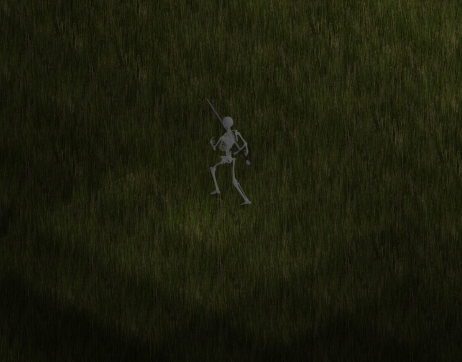
Recently the automated behavior (AI) for the units in the game has been improved to the point where basic gameplay is possible. At this point I'm ready to tweak and test the automated behavior and needed a new "enemy" to test with.
I created this guy as kind of a raptor-pterosaur hybrid. He doesn't actually fly, but he should look at least somewhat intimidating. For this guy I first sketched a picture to get me a rough idea of what I was going for.
The drawing was done using GIMP, specifically with the Paths Tool. It's not great but it did give me a base for what to model in 3D.
Blender was used for the modeling. The basic process was to start with a cube and keep extracting faces, scaling each end, until I started to get a shape I felt happy with. Next I created a UV skin and painted it with a combination of textures found online and a drawing tablet.
For the picture above I left in the outlines to show how I knew where to "paint" in. As you can see, it mostly consisted of using pre-made textures and some careful blending and paint strokes. Once the model was ready, animations were created (The Animator's Survival Kit was a phenomenal book for helping me to learn animation, even if it is quite old and mostly meant for traditional animation). Finally, with the animations ready, I inserted the model into a blender scene I pre-made for animations, and rendered all the animations to be put into a 2D sprite sheet. I used TexturePacker to combine all the 256x256 renders into a single texture sheet with an accompying JSON file that tells the game where each frame is. I personally like TexturePacker because it does automatic trimming and compression.
It may be hard to see but for some of the animation frames in the sprite sheet, you can see that some of the animations go outside the bounds of the sprite, causing ugly clipping. This is just for the death animation, which I need to fix anyways (it doesn't look that good). In total, this guy has a walk, attack, idle, and death animation (and I may eventually add a casting animation). The end product is the animation you see at the top of the post.
Now that I have a good enemy ready, I can now focus on improving the AI behavior. So far so good!
Wednesday, December 31, 2014
Friday, December 19, 2014
2D Tile Based Lighting
A demonstration of lighting in the game.
Recently I added lighting to the game and wanted to share a simplified overview of how it was done. Lighting is all done using the CPU and is done on a tile by tile location basis, meaning that the lighting has a certain blocky resolution to it. In the future I may look into adding shader support for lighting, but for now I'll use this until I have time to research into it more.
Lighting is implemented in the game using two variables, the base/ambient light value, and the light value of each unit on the screen. Lighting is implemented in a very fast and simple matter. First, a 2D array is made representing the visible area on the screen (with a resolution the size of each tile). The program loops through every visible unit on the screen, calculates the light emitted from that unit (based on distance from the unit and the unit's light intensity), and if the light calculated is higher than the ambient light, it updates the tile with that higher light value.
Going through the algorithm using pseudo-code,
LightMap light_map = array[screen_tiles_x][screen_tiles_y];
light_map.fill(ambient_light_value);
For (unit : visible_units) { // Calculate lighting values for all visible sprites
for (coordinate : light_map) { // Go through each visible coordinate on the screen and calculate the lighting based on the distance from the unit
double distance = coordinate - unit.position;
double new_light_value = calculateLightValue(distance);
if (new_light_value > coordinate.light_value) { // Update the light map for any coordinate that has a higher calculated brightness
coordinate.light_value = new_light_value;
}
}
}
Then, when drawing all the sprites on the screen (both units and tiles), we adjust the darkness of each sprite based on the light map previous calculated,
brightness = 255 * light_map[unit_x_position][unit_y_position]; // light_map values range from 0.0 for completely dark, to 1.0 for completely lit
color_filter = color(brightness, brightness, brightness);
sprite.setColor(color_filter);
What happens is that for tile locations that are fully lit, the color is unmodified, while for tile locations with a low brightness value, the color is darkened.
An issue with with this lighting method is the limited resolution in brightness, causing this blocky gradient in lighting to occur.
An issue with this method of lighting is that the change in lighting can look very blocky, as you can see a discrete change in lighting from one tile location to the next. Another issue is that this method doesn't support colored lighting, although it should be possible if the lightmap stores color values instead of single floating point values at each location. Of course, this comes at a performance cost.
I've looked up alternative lighting methods, and while I haven't listed them, this is by far the simplest and lowest cost lighting method I could implement. The penalty on performance is negligible due to a few optimizations and the effect still looks relatively good. One thing I need to do now though is implement support for lighting that is blocked by walls. I can do this using collision detection, so that a straight line is drawn at each location calculated to see if a collision with a wall occurs, and only updating the light map at locations where no collisions occur.
Originally this algorithm was designed with parallelization in mind, since it appears to be a good candidate for it. However, to do this requires either mutexes (or atomic variables) on the light map, killing any performance gains from parallelization, or to use seperate light maps that are combined later, which also kills performance due to the heavy memory usage required.
Some optimizations used for calculating lighting include calculating the maximum distance before the light value of the unit goes below ambient light values, and only calculating light values for coordinates within that range. Additionally, if the unit has a light value at or below 0.0, it automatically excludes calculating for that unit.
If anyone has suggestions for a better way to implement the lighting for this game, please send me a message. Currently the lighting has roughly a 13% impact on the performance (frames/second) of the game at 1000 lit units while still appearing respectable, so for now I'm content with it. Time to move on to the user interface!
Sunday, December 14, 2014
New Programming Project
The original game client, written in Dart and ran inside a browser.
A year ago I was researching new programming languages and came across Dart, Google's alternative to Javascript. I gave it a shot and started writing some Dart programs to get a feel for it, and decided to write a simple Diablo clone for it. I used the 2D library StageXL along with Clint Bellanger's sprites used from his game Flare to mock up a simple game where you can run around, teleport, and have skeleton minions.
Due to limitations in performance, I decided to move to C++ with a complete rewrite of the game. The biggest issue I ran into with Dart was that cross-thread communication required only very basic supported types, including numbers and strings. On top of that, it required communication to be done as pass by value. This meant that whenever I wanted one thread to send data to another, I was sending up to megabytes of information at a time.
A rewrite of the game in C++ using SDL2.
Although my experience with C++ prior to this project was a only single class at university, I did a lot of reading and my background in C was strong enough to trudge through it in a brute force manner. The above picture shows the results of what I was able to do using C++14, Boost, and SDL2.
The biggest weakness of my project was that it was very much hacked together due to inexperience with the language. I originally used Boost's "any" variable (which can hold any variable dynamically, to be cast to the correct type later) a lot to fill in whatever data I needed. Additionally, I tried way too hard to make everything very generalized; my attempt being to allow for as many possibilities in the future. An example of this was the spell system, which read from a text file and could use any combination of spell effects at varying levels of strength and duration. This made things very complex and hard to keep track of instead of just writing dedicated spell functions.
An early version of the second rewrite in C++, using SFML.
The whole project was a mess because I used it as a platform to learn C++, all with minimal experience. During this time I read several books on C++, including "The C++ Programming Language", "C++ Concurrency in Action: Practical Multithreading", and "Intel Threading Building Blocks: Outfitting C++ for Multi-core Processor Parallelism". Additionally, I studied books on both GIMP and Blender to learn how to create my own media content for the game (all content in the rewrite, including the screenshot above, are self-made). The results in the screenshot above show a complete rewrite of the game.
Although it still needs some more work (most notably the UI and lighting) to catch up to the old version of the game, it's already apparent how much better the game is performing. A philosophy I learned in the "Intel Threading Building Blocks" book is that when you write a program and expect to use concurrency, you should design the program from the ground up with that in mind. This is a critical design decision that was not made in the old version of the game. Originally, everything was mutex protected for thread safety. This was costly and created a lot of thread blocking; an ugly tack-on that performed poorly. Instead, every variable that has to be accessed by multiple threads now uses an atomic data type; no mutexes are used (aside from whatever is internally used by the atomic and concurrent types defined by the C++11 standard and TBB library). Additionally, using the Threading Building Blocks (TBB) library by Intel, a good portion of the game loop is handled automatically by Intel's thread pool manager. I also used TBB's concurrent containers, specifically the concurrent hash map and concurrent queue for cross thread communication.
Threading Building Block's thread pool kicks in to maximize processor core utilization as demands on the processor increase. In this case, going from handling 10 units (left) on screen to 10,000 (right).
From the images above, it becomes apparent very quickly how effectively the game utilizes all the cores on the system. In the first image, with only 10 units, the demand on the CPU is relatively light and only a few cores are really needed for processing. Once we increase this to 10,000 units being handled simultaneously, the TBB library spreads all that work amongst the 8 threads, greatly improving performance. The beauty of this library is that it will use as many cores as you give it, so theoretically performance should only improve as computers increase in core numbers.
10,000 units filling the screen.
In later posts I'll describe how the actual game is implemented, but for now my next plans are to add lighting and the interface. Also, I plan to go into more detail on the graphics of the game, which were made using Blender, GIMP, and the Python PIL library. It feels good to start posting again on here.
Wednesday, June 15, 2011
Getting Sid Meier's Gettysburg! to work on Windows 7
On an unrelated note, to pass time while doing my Chinese lessons I have been playing simple old PC games. Since Sid Meier's Gettysburg! is an old favorite (along with Heroes of Might and Magic III and Caeser III), I decided to install it. Unfortunately it won't install by any normal means, but there is a simple trick you can do to install it quickly.
First go to the Windows Start Menu and search the "cmd" application, and right click and run it as administrator.
After you run it as administrator, go to the directory of your CD drive (or virtual mounted drive) and run the setup, as shown below,
My CD drive was the E drive so I used that. After running this, the installation will come up as normal, and you can go about installing. Be sure to install the "Windows XP patch" found below.
http://www.firaxis.com/games/downloads.php
EDIT: The link is down but I believe this is the same XP Patch, but I haven't had a chance to test yet: https://www.fileplanet.com/archive/p-8427/Gettysburg-Windows-2000-XP-Compatibility-Update
As a side note, I'll put up pictures and other details from my stay in Shanghai, it's long overdue!
Sunday, May 8, 2011
Blocked websites in China
As I type I am using the University of Michigan VPN (it allows me to use the internet as though I am in Michigan) and already hitting some blocked websites. I'll edit this throughout the summer but so far the blocked sites are as follows;
www.facebook.com
translate.google.com
www.google.com
www.blogspot.com
Tuesday, May 3, 2011
First few days in China
So this summer I decided to study abroad in China at Shanghai Jiao Tong University. Since I want to pursue an additional Bachelors in Mechanical Engineering, studying abroad will enable me to graduate in Winter 2012, only 1 additional semester after I finish my Electrical Engineering degree.
Before I go to Shanghai however, I decided to go to Harbin first to visit a girl I know. Since I've been here she's been showing me around and helping as my guide. The trip to Harbin took roughly 41 hours, with the bulk of the time spent in Korea where I had to wait 18 hours for a plane to Harbin. The trip to Korea from Seattle took about 11 hours, although the plane ride was actually quite enjoyable. The planes had entertainment systems for everyone, with LCD screens on the back of every seat headrest. On it were games, music, and movies available to see. Additionally, the plane provided unlimited drinks and 2 meals, along with a snack. I got to sit on the window side and as a bonus a cute Korean girl who just finished studying abroad in Canada sat next to me. Her English wasn't great but we did have a lot of fun together, we even played multiplayer together on a couple games on the LCD screens.
With the wait being 18 hours in Korea, I had to find a way to kill time. The bulk of my time was spent on my laptop on a bed/sofa/couch thing they had in the lounge area, where I slept for the night. Finally when my plane came I could go the next morning. Going on the plane to Harbin was very crazy, as I was the only white person on the plane. I sat next to a young Chinese married couple who were very curious, and we talked a little. They were coming back to Harbin from Japan to visit their daughter. When I finally arrived to China, I went through an incredibly surprising simple and easy security process. I simply showed my papers and was on my way out. My friend met me and we took a bus to Harbin. She beforehand had reserved a room at the "Meijia" hotel for me in Harbin, and when I got there I paid for a week. It came out to 200RMB per day or 30.80 dollars a day. This is incredible because it includes everything, a kitchen with a fridge, a big screen TV with cable, a western bathroom, and a nice queen sized bed, along with a great view of the city.
On my first day we went out to a large supermarket to buy water, since the running water in China is often dangerous to drink. It came out to about a dollar for a 4 liter water jug, which I bought two. Afterwards we ate at this Chinese restaurant whose logo was similar to KFC's. I've noticed 3 different places with the iconic black and white face with surrounding red color logos, they don't seem to care that it is copying! At the place we ate Bao Zi and Tsung Zi, along with a warm soy soup that had beans in it, very good. It came out 40RMB for 5 Bao Zi, 2 large Tsung Zi, and the two bowls of soymilk soup. Later we went to Pizza Hut to grab drinks and a dessert. The drinks were a iced fruit milk tea and a mango smoothie, the dessert was this custard with fruit jam.
The next day we decided to go to Sun Island. Before though, we walked around Harbin and found this strange restaurant and ate there. It is strange because it was incredibly filthy and was a very small room with the kitchen right next to the entrance. The room to eat in was literally 2mX4m, only enough room for 4 people to eat! The food was very good though, a huge bowl of noodles cost only 5RMB (less than a dollar)! It was also very very spicy, I loved it. I also drank an iced tea, they seem to be becoming more popular in China.
After we ate we went to the bus station. While waiting we talked to a woman and her daughter. The daughter seemed very curious that I was white, and the mother asked about me. Very interesting. The bus ride to Sun Island was very full, there was so many people in it. When we got to Sun Island we visited a large building that was like a science center for children. It had 4 floors of activities and included an IMAX movie which we saw, although it was definitely too small for IMAX. It was still very fun though, and was 3d along with having compressed air and water vapor spayed for added effect. The movie was about a baby turtle trying to survive its first day.
After the science center we went to the Sun Island park and walked around. People were very curious, with many staring at me and a few saying "Hello!" in English. Of course I always say hello, as it is fun although very strange to have such curious people talking to you. Sun Island was a lot of fun, and I got to see some really cool things, including some Chinese geese and a pond full of frogs. We got to eat the classic "meat on a stick" which was also very good. The park is very large, and very popular with the locals. I'd liken its popularity to that of maybe Detroit's Henry Ford's Greenfield Village. While there we even rented a 2 person bicycle that we rode around in. Afterwards we ate at Pizza Hut (her first time eating a Pizza) and again had drinks. For a large pizza with stuffed crust, 2 smoothies and a dessert it only cost about $12 American dollars.
On the third day we set out to buy a train ticket to Shanghai. When we got to the train station we first ate though, and had two bowls of noodles. The people there were very curious! When we went to buy the train ticket, it ended up costing about 280RMB, and I think it will take about 30 hours to get to Shanghai! (AHHH) After buying the ticket we went to this huge underground clothes market. People there were so curious, especially the younger people. A few girls said hi and when we were eating at the food court a girl was walking and kept staring at me from far away so I waved. She smiled very big and told her friends who also looked, then I waved again. Very cute.
So far my trip in China has been amazing. Today we plan on going to Fangfang's school to eat some of her food and meet some of her friends. I hope her friends like me, since I did bring them so much American candy! (and some T-Shirts) I've been having so much fun, and can't wait to have more!
Monday, October 25, 2010
So far, so good!
The semester is going great so far. I did really good on my 320 midterm, and did good on the EECS 451 exam! I still have to take EECS 312 midterm (tomorrow) and get back my 230 midterm on Wednesday. Overall I'm confident in this semester, and am excited!
The class I like least is easily Technical Communication 300. That class is a pain for a 1 credit course! I have to do an oral report tomorrow night after my midterm! Oh well, just glad it will be over with after this semester. EECS 312 is probably the one I'm least confident in, simply because it's such a strange class. I feel like it's a combination of EECS 320, EECS 270, and a little of EECS 427. The class is just very strange, and the homework is often not fully covered in class/the book in a clear manner. In addition I heard that the professor grades really harshly. I love the professor and I love what I'm learning, but it's stressful none-the-less!
My social life this semester is also very good! I've made many friends, have met many people I knew in previous classes, and have learned a lot from those I've befriended. Surprisingly I have met many people from China. I had a couple of Chinese friends last year who transferred from Shanghai but all of my classes this semester have a huge proportion of transfer students. The ones who I have made friends with though a very awesome, and it's always fun getting to know people from other parts of the world. I look forward to seeing who else I can meet. University of Michigan has really helped me to meet all kinds of people, from the Ivory Coast of Africa, to Ukraine, to China, to Korea, Malaysia, Australia, and so on.
Subscribe to:
Posts (Atom)